


Able2Extract Professional 20
€51,85
Able2Extract Professional is a comprehensive PDF converter designed for users needing reliable, high-quality PDF conversion to Excel, Word, PowerPoint, AutoCAD, HTML, and more. It includes advanced features such as custom conversion to Excel, OCR for scanned files, batch processing, and tools for editing PDFs, creating and filling forms, compressing files, and repairing damaged PDFs.
Brand: Investintech
Operating system: Windows/Mac
Language: English, French, German, Italian, Portuguese, Spanish
Description
What’s new in Able2Extract Professional 20
Automatically Repair Damaged PDF Files
The latest version of Able2Extract Professional puts your PDF documents first! With our new built-in PDF repair tool, you can quickly restore damaged PDFs. Designed to handle a range of issues, the tool automatically scans your file to detect and fix the most common PDF issues. Able2Extract Pro 20 lets you work seamlessly with problematic PDFs, ensuring you can accomplish any PDF task needed.

Custom Compress Your Large PDFs
Able2Extract Professional 20 is designed to streamline your workflow with large PDFs. In this latest version, you can easily compress the file size of any opened PDF. Gain control over the PDF resizing process and specify which elements to adjust. Compress bitmaps, subset fonts, and remove annotations or file attachments. Tailor your compression, keep what you want intact, and reduce the size of your PDF file – all at once!

Convert Table Row Data with More Precision
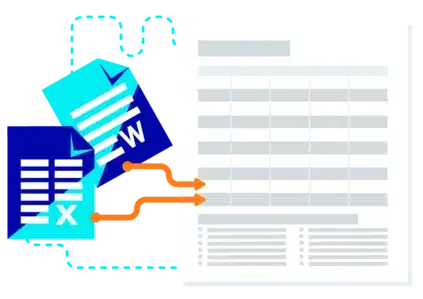
In Able2Extract Professional 20, we’ve enhanced the PDF to Excel conversion for more accurate data extraction. With improved row separation recognition, you can now better structure your output, placing multiple rows of text into a single row. Enjoy more precise and flexible conversions for invoices, records, and line items in well-formatted Excel spreadsheets.

Extract PDF Form Values Accurately to Excel
Another new update is the ability to extract and transfer your PDF form data directly into Microsoft Excel. You can now retain and work with the original text style – font and text color – of your extracted form data in an editable spreadsheet. With Able2Extract Professional 20, you’ll be able to convert your collected form data and analyze it with ease.

Effortlessly Merge and Convert Non-PDF Files
In addition to merging PDFs, you can now combine various file types, such as Word, Excel, PowerPoint, and images, into a single PDF. Plus, easily batch upload and convert non-PDF files, including XLSX and PPTX, to any supported output format like Microsoft Word, providing more flexibility and efficiency in handling your digital documents.
Simplified Installation and Support For macOS
On top of product improvements, we’ve also provided a more simplified installation process for macOS users. The macOS version is an app trusted by Apple, ensuring that you can install Able2Extract Professional 20 on macOS 11 and higher. It can be installed on ARM or non-ARM (Intel) machines without issue. Just drag and drop to start the installation process and you’re all set to work on PDFs directly on your macOS desktop!

Software Advantage Plan (1 year)
– Priority support
– Access to a personalized web portal
– Access to all software updates
System requirements
Compatible with:
– Windows 11/10, Windows Server 2025/2022/2019/2016, 64- bit edition
– macOS 15 (Sequoia), 14 (Sonoma), 13 (Ventura), 12 (Monterey), 11 (Big Sur)
– Ubuntu 24.10, 24.04, 22.04, 20.04
– Fedora 41, 40, 39, 38, 37, 36, 35, 64-bit edition
Specifications:
– Processor: x86 Architecture CPU
– HDD Space: 400 MB
– Memory: 1+ GB of free memory available
– Monitor: 1366 (Width) x 768 (Height) screen resolution