



TurboCAD 2026 Designer
€83,50
TurboCAD 2026 Designer is a powerful and affordable 2D drafting solution designed for beginners and CAD enthusiasts alike. Featuring intuitive precision drafting tools, it provides an easy and efficient introduction to computer-aided design. Guided setup, interactive tutorials, and context-sensitive help enable users to get up and run quickly. Create, edit, dimension, annotate floor plans, technical drawings, and a wide range of 2D designs with accuracy, speed, and confidence.
Brand: IMSI Design
Operating system: Windows
Language: English, French, German
Description
What’s new in TurboCAD 2026 Designer
Find Commands Faster
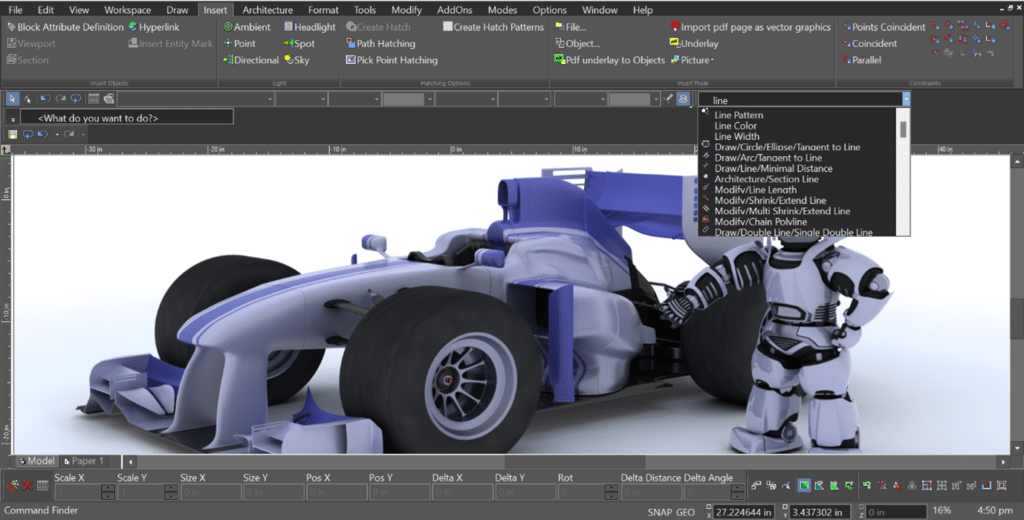
Command Finder streamlines your workflow by instantly displaying relevant tools as you type. Clear, intuitive icons make commands easy to identify immediately, helping you quickly locate the features you need. Even extensive tool sets remain simple to navigate, reducing search time and allowing you to focus on designing and completing your projects more efficiently.
Keep Your Favorite Tools Within Reach
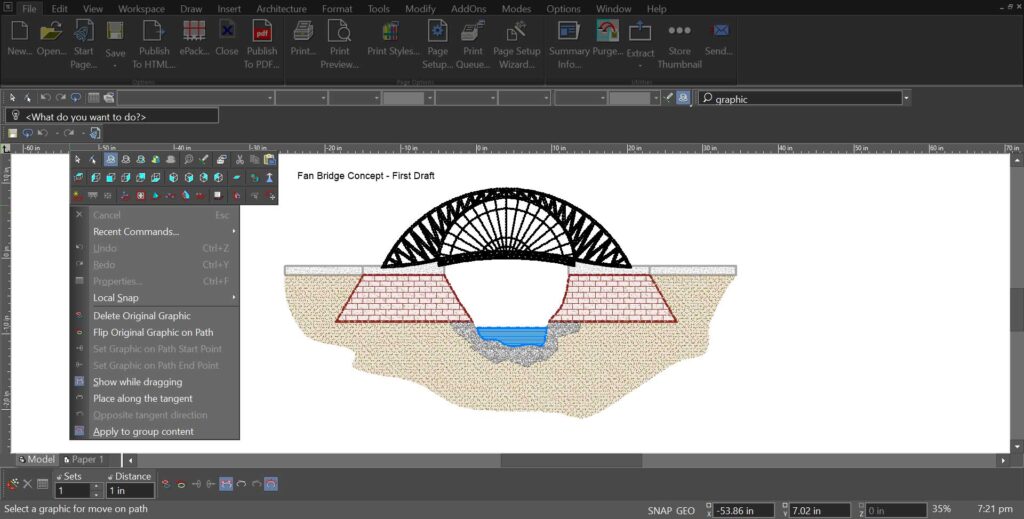
The Recent Commands feature automatically tracks the tools you use most often and makes them instantly available from the local menu. Instead of searching through menus and toolbars, you can quickly relaunch recently used commands and stay focused on your work.
With faster access to the tools, you need most, TurboCAD helps you maintain momentum and work more efficiently from start to finish.
Unified Multi-Language Installer
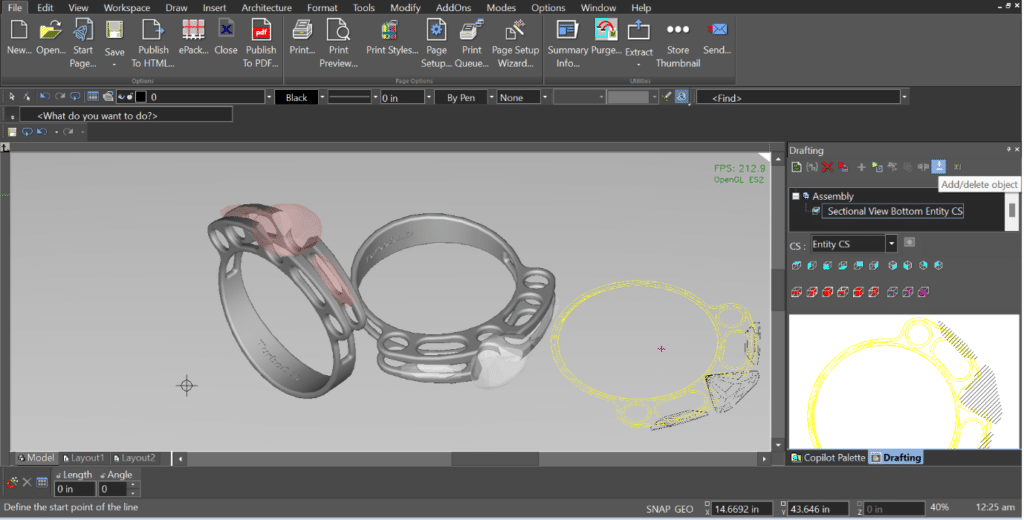
TurboCAD simplifies deployment with a single installer that includes all supported languages in one package. During installation, users can select their preferred interface language, and TurboCAD is configured accordingly from the start.
Because every supported language is built into the installer, users can switch languages at any time directly within the application—no reinstallation required. This streamlined approach eliminates the need for separate language-specific installers, simplifies software distribution, and provides a scalable foundation for future language additions.
The Unified Multi-Language Installer delivers a seamless setup experience while giving users the flexibility to work in the language that suits them best.
Graphic on Path
Graphic on Path makes it easy to position and shape objects along curves with precision and flexibility. Ideal for creating decorative designs, technical illustrations, signage, and custom layouts, the feature automatically aligns objects to a selected path’s tangent, ensuring smooth and accurate placement along even the most complex curves.
Interactive controls allow you to flip orientation, adjust rotation, reverse direction instantly, and preview changes in real time as objects are moved along the path. Support for grouped objects and enhanced rotation options provide additional control, making it simple to refine curved arrangements and achieve polished, professional results with minimal effort.
Direct 2D Adobe PDF Import
TurboCAD 2026 Designer enables direct import of 2D Adobe PDF files through the File → Open command, allowing users to convert PDF-based drawings into fully editable CAD geometry. Rather than working with static underlays, imported content is transformed into native drawing elements—including lines, arcs, and text—making it easy to modify and reuse existing designs.
The import process preserves layers, layouts, and drawing structure whenever possible to support accurate editing and efficient workflows. Powered by ODA-based technology, TurboCAD delivers reliable compatibility and high-fidelity conversion across supported platforms. Built-in file validation and clear status messaging also help identify unsupported or damaged PDFs, ensuring a smoother and more dependable import experience.
System requirements
TurboCAD 2026 Designer is delivered in a 64-bit version to fully utilize your hardware’s available memory for loading, processing, and rendering CAD files.
– Operating System
Microsoft Windows 11, Windows 10, Windows 8* 64-bit, Windows 7 (64-bit), Vista (64-bit) – 8 GB RAM.
Note: TurboCAD® is designed for desktops or laptops that meet these requirements. Windows RT technology for tablets is not supported.
Recommendation: Your experience with TurboCAD® will be greatly enhanced with a newer generation, higher-speed CPU, with 16+ GB RAM.
– CPU Type
1 Gigahertz (GHz) or faster 64-bit (x64) Intel or AMD processor.
Note: ARM processors are not supported.
– GPU Support
The TurboLux™ Rendering engine is included in TurboCAD® Platinum, Professional, and Deluxe.
Note: OpenCL (GPU-based) modes require an NVIDIA graphics card or GPU supporting OpenCL 1.2 or later, or NVIDIA’s CUDA version 10.0 or later.
Recommendation: Install the latest driver updates before using TurboLux™ rendering.
– Other
Mouse Pointing Device (wheel button recommended).
Important Notice to users of Term Licenses: An active Internet connection is required to verify and maintain a Term License.