



Camtasia
Your all-in-one solution for screen-first video
Camtasia has everything you need to create polished, professional videos from screen recordings. Record, edit, and share all in one platform.
CD & E Distribution (Europe) in a European distributor for TechSmith.
Resellers can contact us by email info@cd-e.com for their reseller pricing.
Description
AI-powered screen recording and video editing
Camtasia helps you turn your knowledge into engaging videos with AI-powered tools.
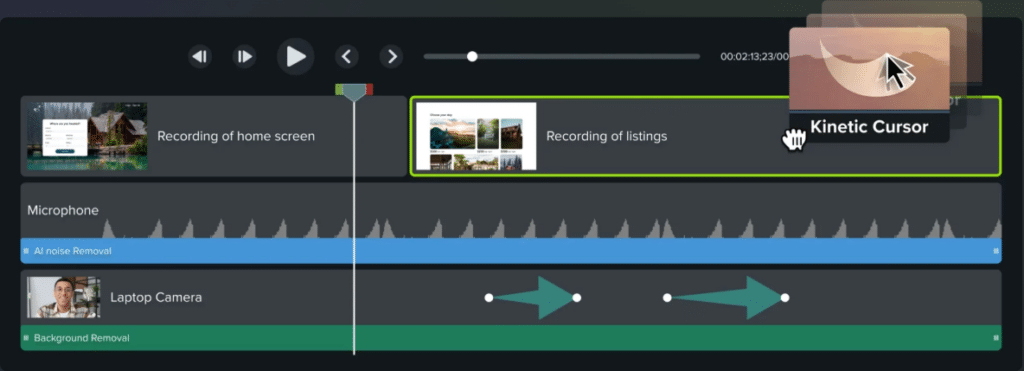
Multitrack recording
Break free from locked-in recordings
Record your screen, camera, system audio, and microphone on separate tracks—giving you the flexibility to edit, adjust, and refine every detail.
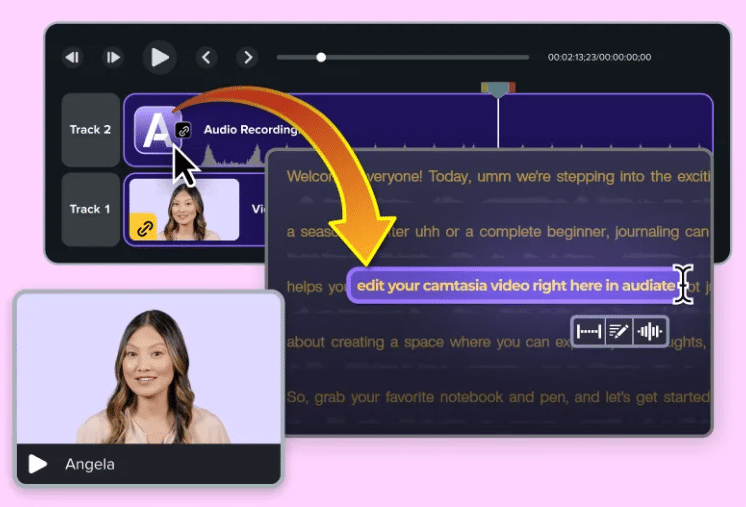
Edit your video by editing text
Stop hunting for mistakes on the timeline. Camtasia, powered by Audiate, automatically transcribes your audio into text. To cut a mistake, just delete a word.
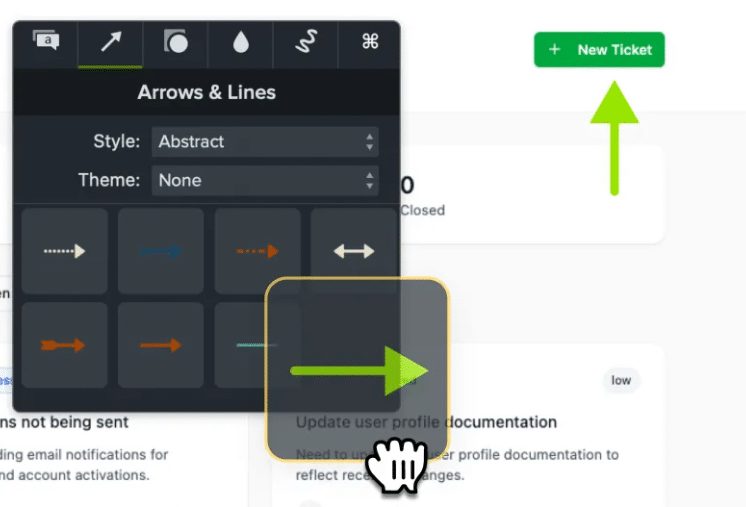
Simplify your workflow with drag-and-drop editing
Even complex edits like zooms or callouts are only a few clicks away.
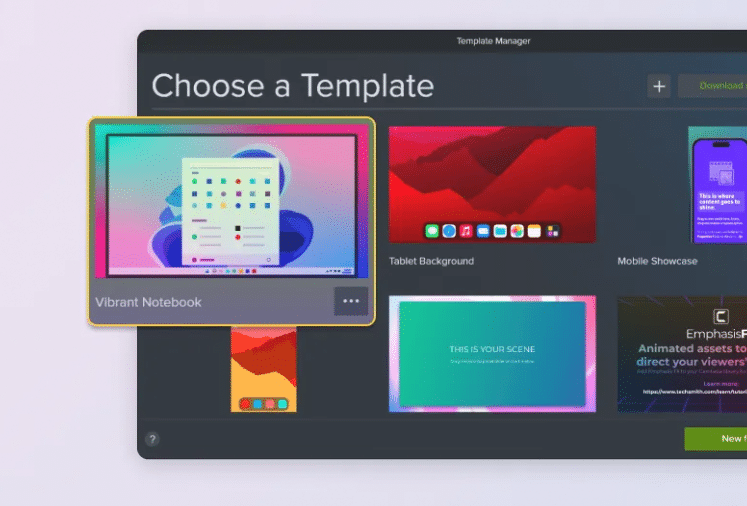
Stay on brand with custom themes and templates
Make your videos feel professional and consistent with customizable themes and templates.
Accessibility features built right in
Instantly create captions and translations so your videos connect with more people, in more places.

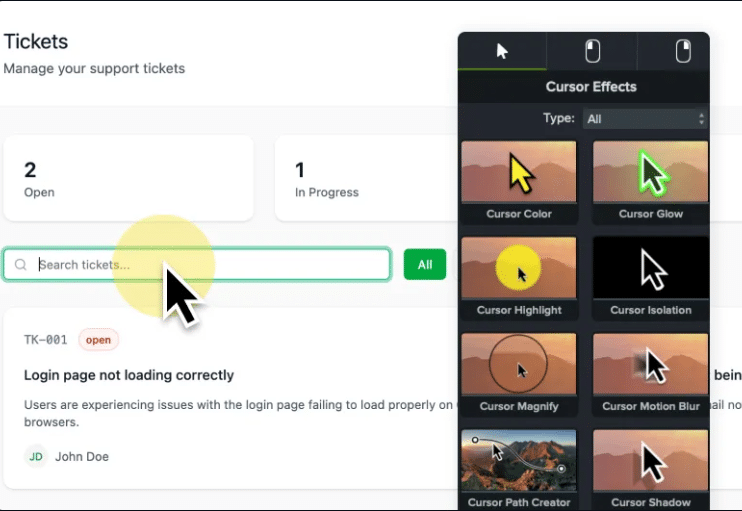
Cursor effects and annotations that clarify every step
Make your tutorials easier to follow with easy-to-add on-screen annotations and customizable cursor effects powered by Screentelligence.
Camtasia versions
Camtasia Essentials: Camtasia

Camtasia Create: Camtasia + Audiate

Camtasia Pro: Camtasia + Audiate + Assets + Screencast Pro


System requirements
Windows
Operating System
– minimum: Microsoft Windows 10 (64-bit) 20H2 version or later
– recommended: Microsoft Windows 11 (64-bit) 23H2 version or later
Processor
– minimum:
Intel
Haswell processors (Q2 2013) and newer, except models branded as Celeron and Pentium.
Celeron and Pentium branded processors starting with Tiger Lake (Q3 2020) and newer.
Intel 8th Gen or newer CP
AMD
AMD Ryzen 2000 Series or newer CPU
Excavator processors (Q2 2015) and newer
VIA
Nano QuadCore
Eden X4
Advanced Vector Extensions 2 (AVX2) Support required
– recommended: Intel 12th Gen or newer CPU – or AMD Ryzen 4000 Series or newer CPU
ARM Processor
– minimum: Snapdragon X Plus (emulation only)
– recommended: Snapdragon X Elite (emulation only)
RAM
– minimum: 8GB of RAM
– recommended: 16GB of RAM or more
GPU
– minimum: 2GB of video memory available (integrated or dedicated GPU)
– recommended: 4GB or more video memory available (dedicated GPU)
Local Storage
– minimum: 4GB of available disk space
– recommended: SSD with 4GB or more available disk space
Media Location
– minimum: Local drives only. OneDrive, iCloud, Dropbox, etc., not supported during recording or editing.
– recommended: Local drives only. OneDrive, iCloud, Dropbox, etc., not supported during recording or editing.
Display
– minimum: 366×768
– recommended: 1920×1080 or greater
Microphone
– minimum: Internal microphone
– recommended: USB or other external microphone for voice recording
Internet
– minimum: Internet connection and a TechSmith account are required for the trial
– recommended: Internet connection and a TechSmith account are required for the trial
More System Requirements
– minimum: Microsoft .NET 4.7.2 or later (included), WebView2 Runtime (included), Microsoft Visual C++ Redistributable for Visual Studio 2015-2022 (included), Windows N requires the MediaFeature pack for Windows N. Playback using the Smart Player is supported on Microsoft Edge, Chrome, Firefox, and Safari, iOS 17 or later (Safari only), Android 13 or later.
– recommended: Microsoft .NET 4.7.2 or later (included), WebView2 Runtime (included), Microsoft Visual C++ Redistributable for Visual Studio 2015-2022 (included), Windows N requires the MediaFeature pack for Windows N. Playback using the Smart Player is supported on Microsoft Edge, Chrome, Firefox, and Safari, iOS 17 or later (Safari only), Android 13 or later.
Mac
Operating System
– minimum: macOS 14.0
– recommended: macOS 26.0 or later
Processor
– minimum: Intel 7th Generation Processor or newer CPU
– recommended: Apple silicon M1 Pro, M1 Max or newer
RAM
– minimum: 8GB of RAM
– recommended: 16GB of RAM or more
Local Storage
– minimum: 4GB of available disk space
– recommended: SSD with 4GB of available disk space
Media Location
– minimum: Local drives only. OneDrive, iCloud, Dropbox, etc., not supported during recording or editing.
– recommended: Local drives only. OneDrive, iCloud, Dropbox, etc., not supported during recording or editing.
Microphone
– minimum: Internal microphone
– recommended: USB or other external microphone for voice recording
Internet
– minimum: Internet connection and a TechSmith account are required for the trial
– recommended: Internet connection and a TechSmith account are required for the trial
More System Requirements
– minimum: PowerPoint Import requires Powerpoint 2016, 2019 or later for Mac, Playback using the Smart Player is supported on Microsoft Edge, Chrome, Firefox, and Safari, iOS 17 or later (Safari only), Android 13 or later.
– recommended: PowerPoint Import requires Powerpoint 2016, 2019 or later for Mac, Playback using the Smart Player is supported on Microsoft Edge, Chrome, Firefox, and Safari, iOS 17 or later (Safari only), Android 13 or later.