



CorelDRAW Graphics Suite 2026
€269,25
CorelDRAW Graphics Suite 2026 combines human imagination with AI efficiency to keep you in full creative control. With a refreshed interface, improved performance and stability, exclusive content, CorelDRAW Web updates, and a wealth of innovative new AI tools. It’s built to amplify your artistry and make every workflow faster, smarter, and more intuitive.
Brand: Corel
Operating system: Windows/Mac
Language: Dutch, English, French, German, Italian, Spanish
Description
What’s new in CorelDRAW Graphics Suite 2026
Generate images with AI
Create AI-generated images from scratch or existing content using the new AI Generate docker in CorelDRAW and Corel PHOTO-PAINT. Enter a text prompt, choose from Flux, Stable Diffusion, and Nano Banana AI models, set your aspect ratio and image count, and apply optional styles or color palettes. You can also use any object or imported image as a reference and let AI reimagine it with adjustable strength.
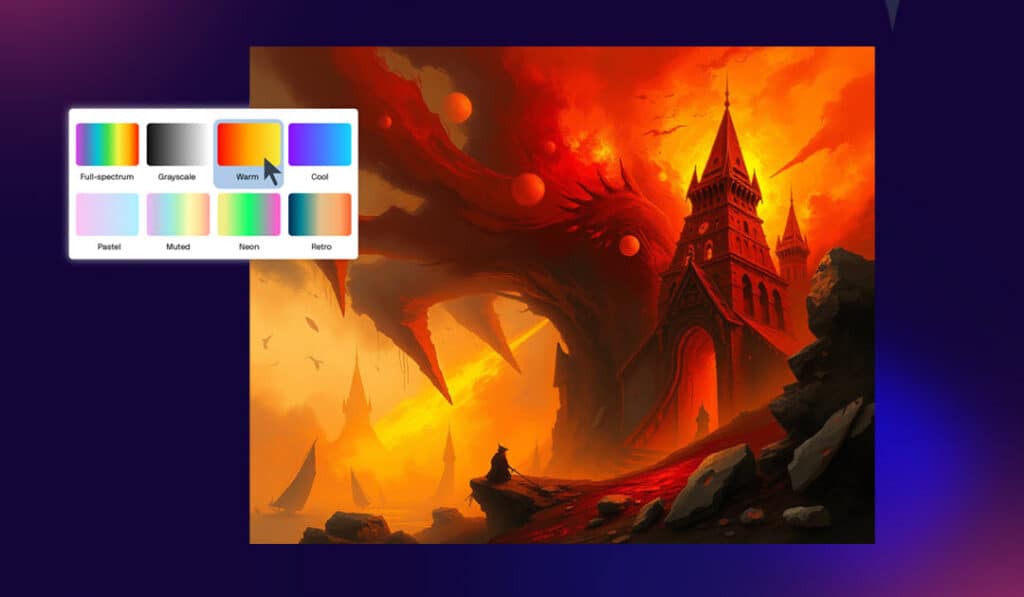
Generate AI images from content
Select an object or import a reference image, then let AI reimagine it. Control how closely it follows your reference, choose the number of results, and guide the output with your own prompt.
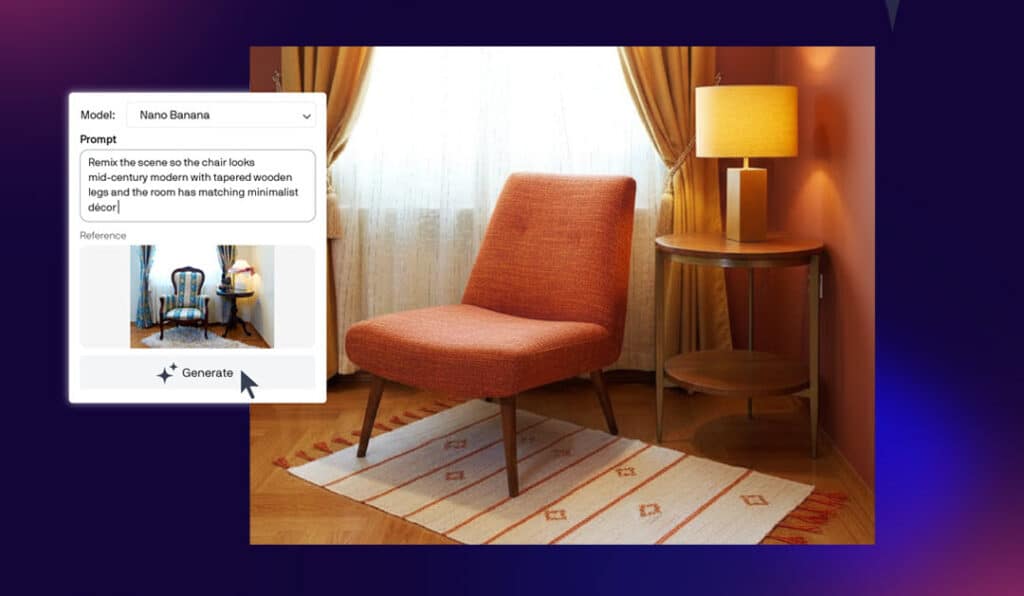
Remix images with AI
Quickly edit and transform images using Nano Banana, a powerful AI model for near-instant photo edits. Mock up designs, swap elements, and place subjects in new settings using the “Remix Image” tab in the AI Generate docker/inspector.
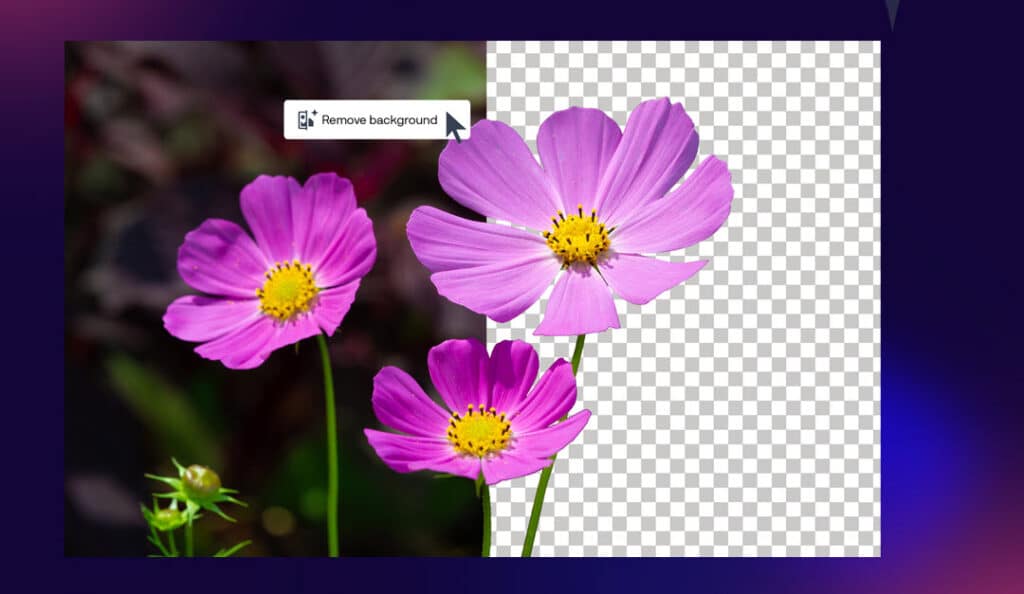
Remove backgrounds with AI
Remove photo backgrounds instantly with a one-click AI tool that delivers clean, ready-to-use results, even around fine details like hair and fabric.
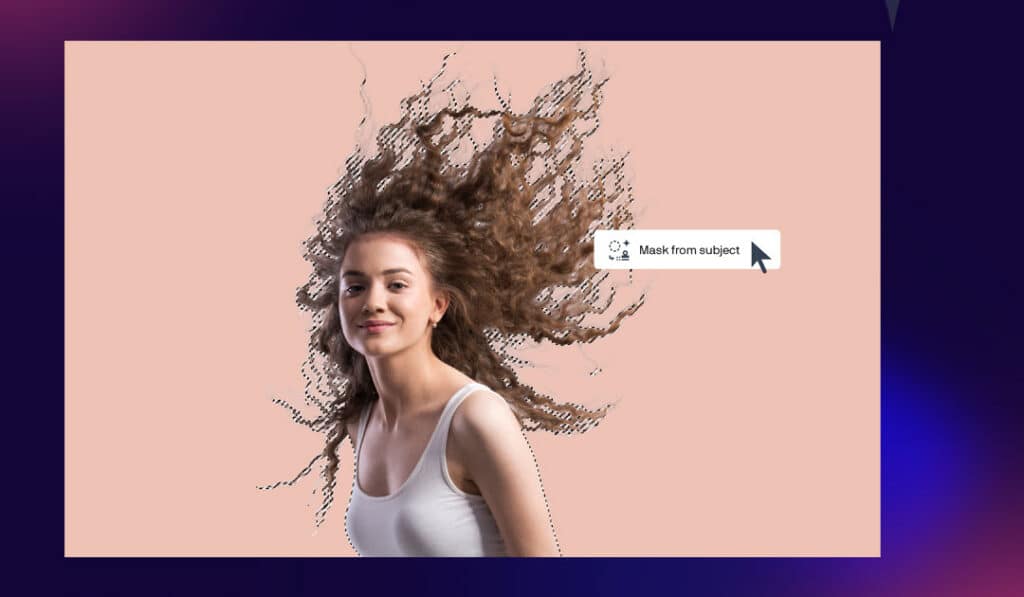
Mask images with AI
Create professional-quality masks faster than ever with AI-powered subject selection and clip masking in PHOTO-PAINT. These tools handle the hard work while giving you the precision and flexibility to refine selections your way.
Other features and enhancements
Enhanced! Performance and stability
Driven by your need for speed and stability, this release delivers major improvements across performance and workflow reliability. Enjoy app launch times around three times faster or more, smoother font handling, smarter page and export settings, and new zoom controls that simplify text editing. We’ve also resolved nearly half of all crashes reported since version 2023, helping you work with greater confidence and uninterrupted focus.
Enhanced! Modern UI
Experience a fresh, modern interface that brings greater consistency across desktop and web. Built in response to user feedback, CorelDRAW’s redesigned UI introduces revitalized icons and refined controls, renewed colors that bring focus to active tools, and more intuitive navigation — all while preserving familiar workflows so you can work comfortably and efficiently.
Enhanced! CorelDRAW Web
CorelDRAW Web evolves continuously with updates that help subscribers work faster and more efficiently. Recent enhancements include a new home screen, improved navigation and performance, better file handling, an optimized learning experience on first launch, a refreshed modern UI, and increased stability. It also delivers the same innovative AI tools as CorelDRAW Graphics Suite 2026 on desktop, so you can design with intelligent tools from anywhere.
New! More subscriber-exclusive content
Enjoy 50 additional pixel-based brushes and 200+ new templates. With this release, subscribers now get 2.5× more brushes and 4× as many templates as other users, unlocking even more creative possibilities.
New! Subscriber-exclusive monthly AI credits
Subscribers receive 2,000 AI credits every month, giving you continuous access to generative AI image tools without worrying about running out. Unlike the one-time purchase option that includes a one-time credit volume, a subscription keeps your AI workflow moving with a reliable monthly allowance for ongoing creative work.
System requirements
Windows
– Windows 11 or Windows 10, 64-bit, with the latest updates
– Intel Core i3, i5, i7, i9 (7th generation or newer) or AMD Ryzen 3, 5, 7, 9, Threadripper, EPYC
– 8 GB RAM (16 GB RAM or higher recommended)
– 5.5 GB hard disk space for application and installation files
– OpenCL 1.2-compatible video card with 3 GB or more of VRAM
– 1280 x 720 screen resolution at 100% scaling (96 dpi) (1920 x 1080 or higher recommended)
– Mouse, tablet or multi-touch screen
– CorelDRAW Web – browser requirements
Google Chrome Version 142 or higher
Microsoft Edge Version 142 or higher
Firefox* Version 145 or higher
*Support for Firefox is limited, and some features (such as clipboard) may not work as expected.
– Internet connection is required to install and authenticate CorelDRAW Graphics Suite and access some of the included software components, online features and content.
– For optimal performance, ensure you have the latest device drivers provided by the manufacturer.
Mac
– macOS Tahoe (26), macOS Sequoia (15), or macOS Sonoma (14), with the latest revision
– Apple Silicon, or multicore Intel processor with AVX2 support*
*The Painterly Brush tool requires AVX2 support, available in Intel Macs from 2014 onward.
– 8 GB RAM (16 GB RAM or higher recommended)
– 3 GB available hard disk space for application files
Solid-state drive (SSD) recommended
Case-sensitive file systems are not supported
– OpenCL 1.2-compatible video card with 3 GB or more of VRAM
– 1920 x 1200 screen resolution
– Mouse or tablet
– CorelDRAW Web – browser requirements
Google Chrome Version 142 or higher
Microsoft Edge Version 142 or higher
Firefox** Version 145 or higher
**Support for Firefox is limited, and some features (such as clipboard) may not work as expected.
– Internet connection is required to install and authenticate CorelDRAW Graphics Suite and access some of the included software components, online features and content.
The advantages of working with CorelDRAW Graphics Suite 2026
Working with CorelDRAW Graphics Suite offers a multitude of benefits for creative professionals. Its user-friendly interface combined with a wide array of advanced features makes it an ideal choice for crafting spectacular graphic designs, website layouts, and photo projects. This software is tailored for designers, artists, and marketers who demand precision and flexibility in their work. Beyond its primary offerings, CD & E Distributions also provides access to other essential tools for creative workflows, including Capture One for exceptional photo editing and TeeChart from Steema for creating dynamic charts and graphs. These additions ensure that all your design needs are comprehensively covered under one roof.